🏓
Animated rally
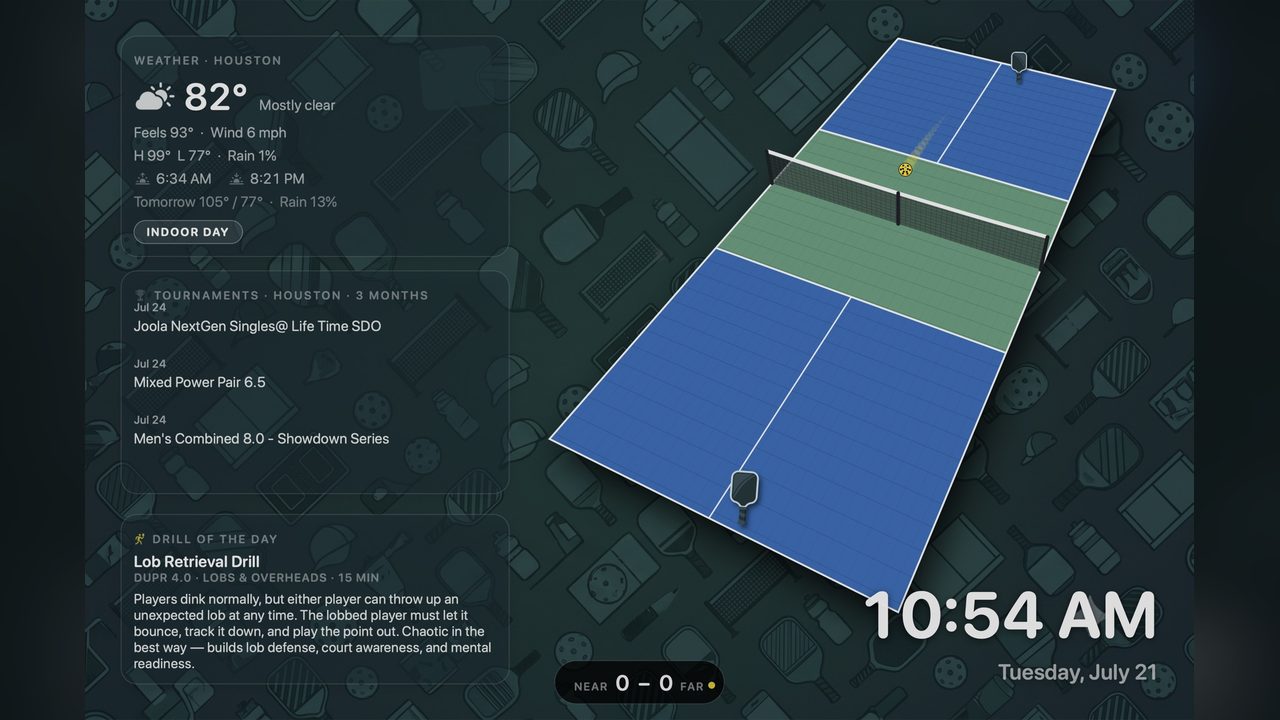
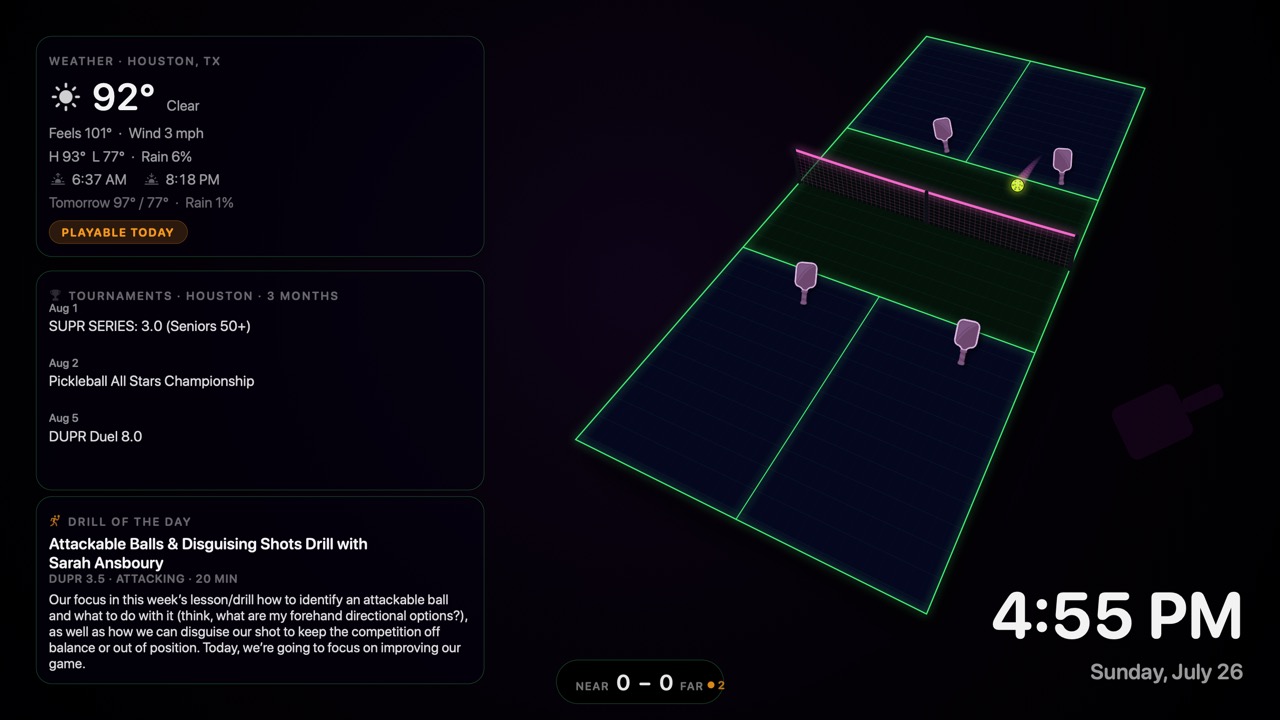
A perspective court with serves, cross-court exchanges, net battles, and a live scoreboard.
macOS screensaver
A native screensaver with an animated rally, live weather, nearby tournaments, and a drill of the day — signed, notarized, and ready to install.
Free & open source · Prefer the raw
.saver? Grab the zip.

A perspective court with serves, cross-court exchanges, net battles, and a live scoreboard.
Choose the match format in the options sheet and let the rally logic adapt to it.
Switch between the classic court look and a neon black-light mode with glow throughout.
Current conditions and a “good day to play?” badge powered by Open-Meteo, no account required.
Upcoming events near supported US metros, refreshed automatically right from the saver.
A daily practice drill filtered by skill level, so the widget rail always has something useful to show.
Open the DMG and launch the installer package inside.
The package installs for all users, so System Settings will ask for your password.
Open System Settings → Screen Saver → PickleballScreensaver → Options… to choose format, theme, and widgets.
The latest release is signed and notarized for macOS 14+. If you want the source, screenshots, or issue tracker, the GitHub repo is one click away.